If you are like me, relying on good old MH/NMH and mh-e and exmh to do your
mail, then you'll know that there are few decent solutions for synchronizing
your MH boxes between computers.
click here for the rest of the story...

(beagle as in 'beaglebone black', which is not a dog by any means)
almost exactly three years ago i built a minimal-budget online weatherstation for fido, john sinclair's fraser island defenders org. that station was installed at happy valley and it's been working pretty well ever since - well enough that we followed it up a few months later with another station which ended up at eurong.
both of these were build on a shoestring budget, and for the second i used the same fairly yucky 'authentication' chip setup on perfboard and hacksawed 2mm 2x10 pin connector, and everything was housed in a really ugly fashion inside a weatherproof box.
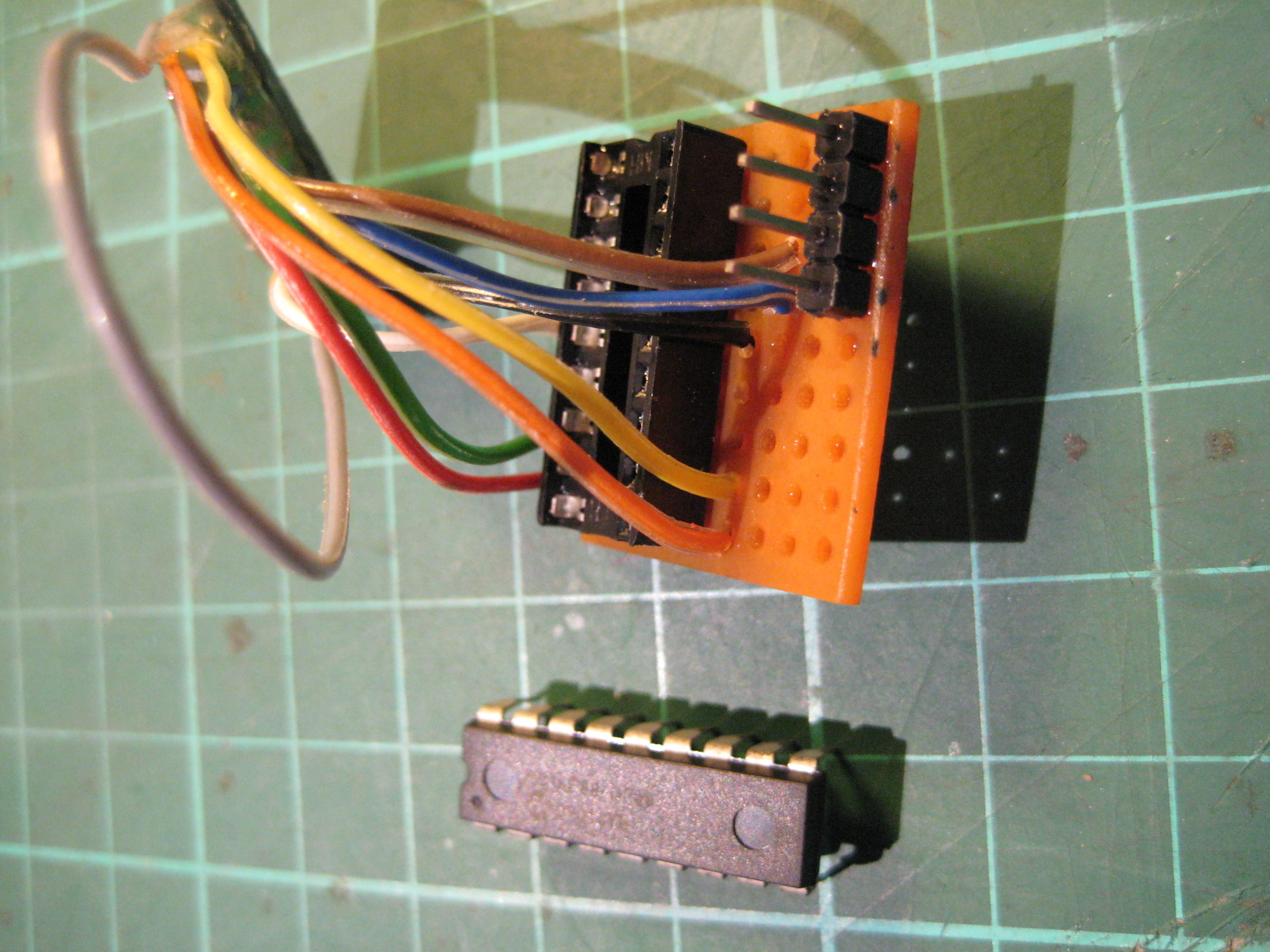
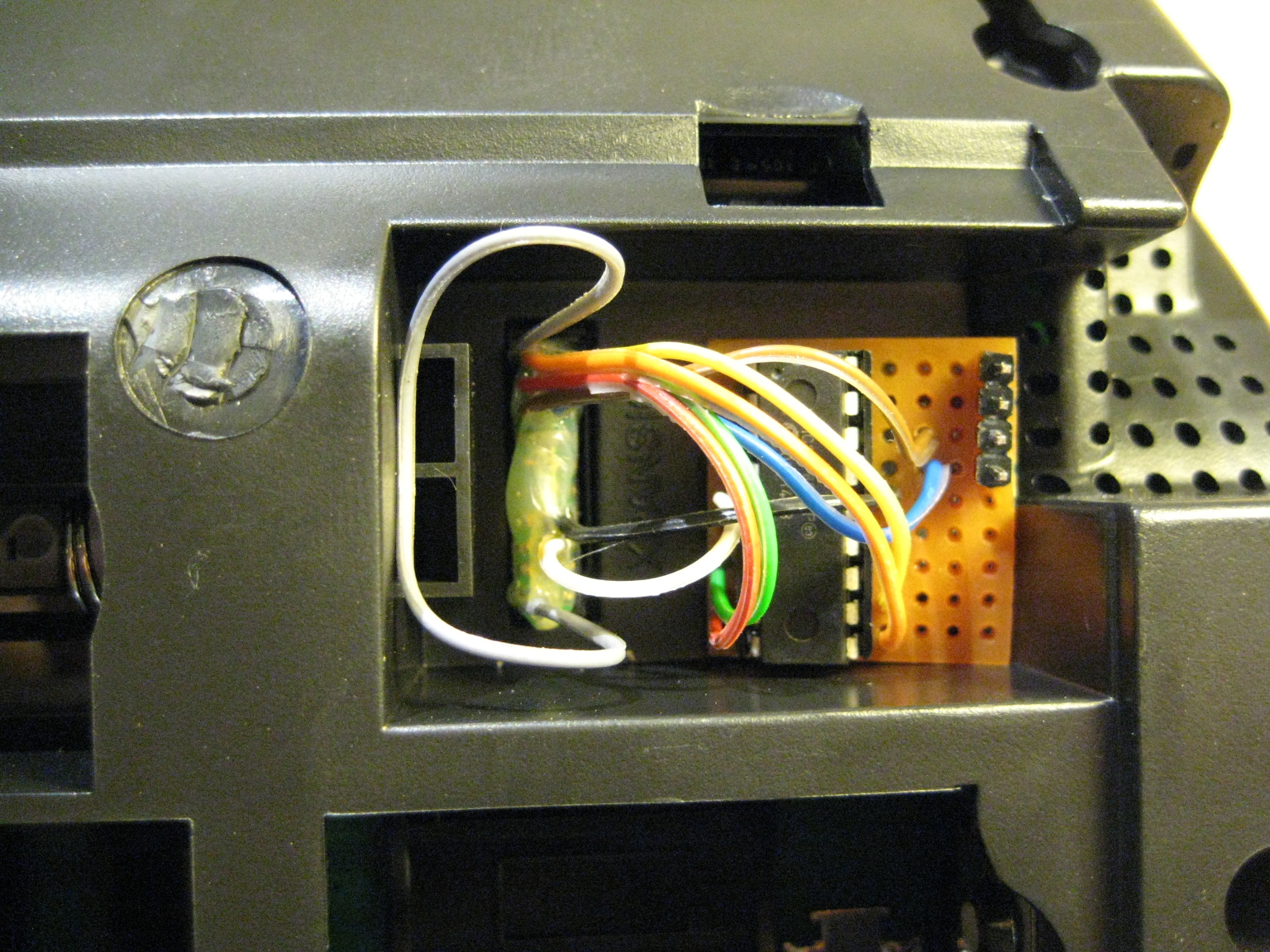
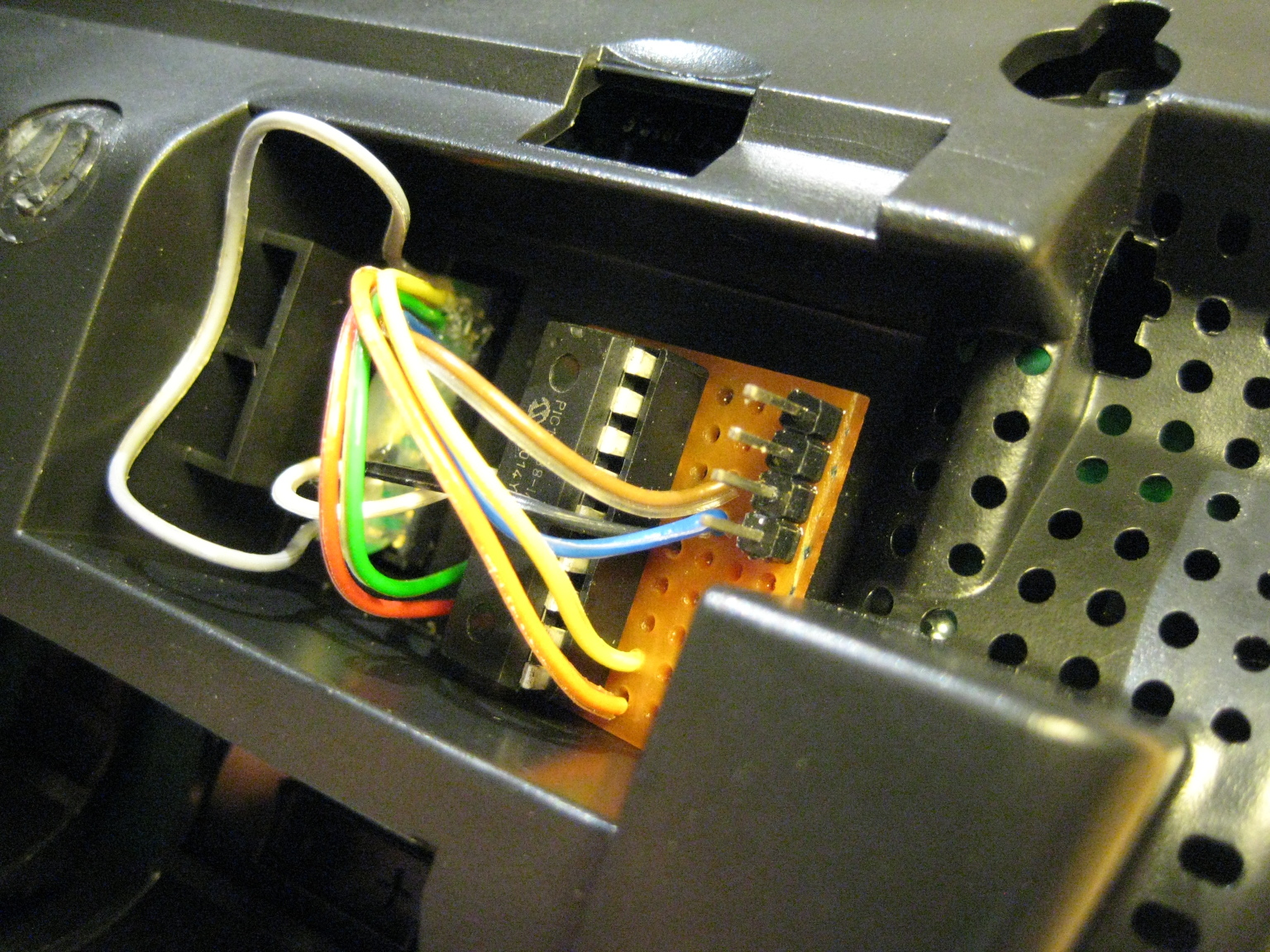
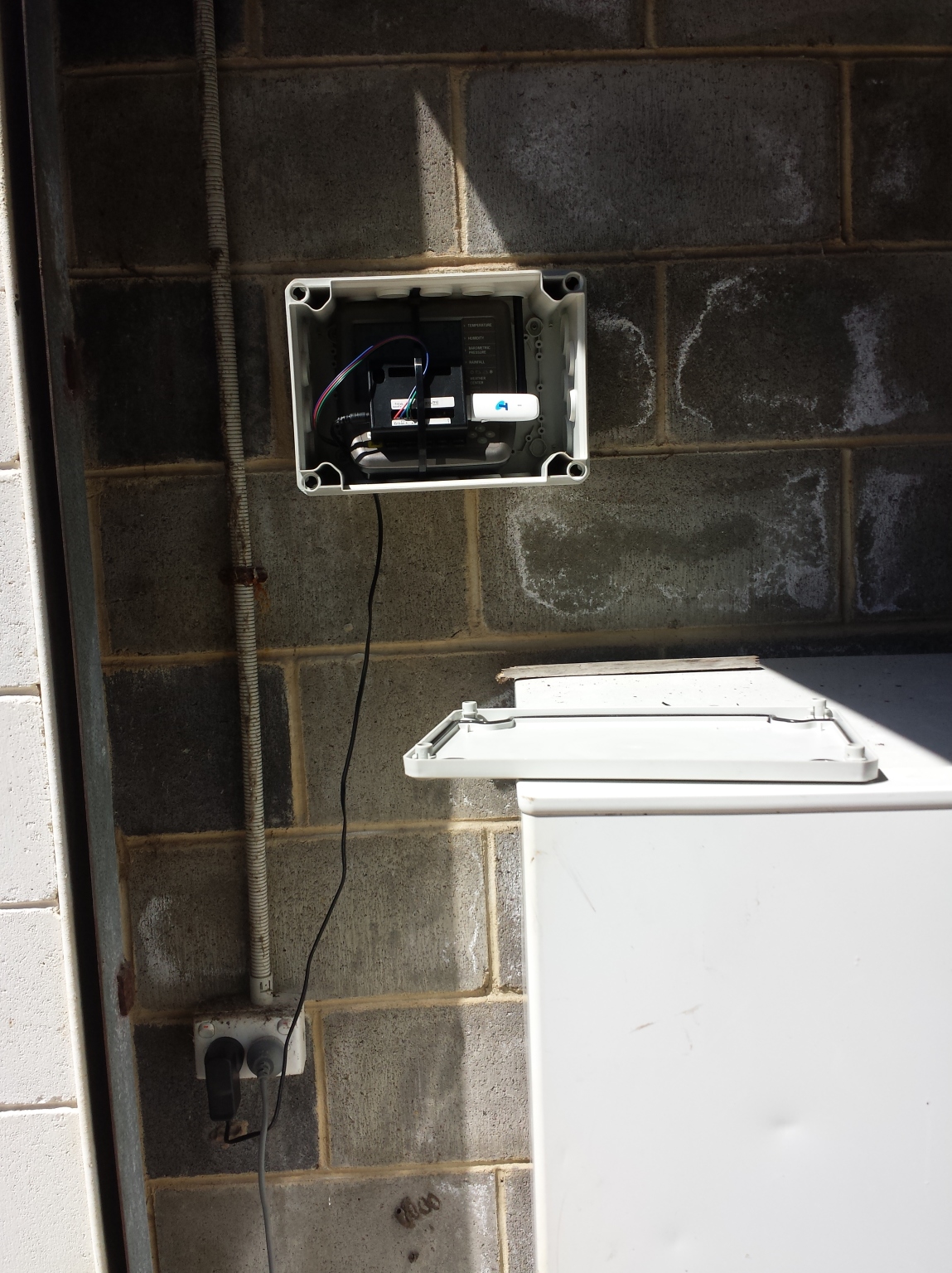
recently fido got a budget together for four more stations. about two months ago we started acquiring the bits and pieces for these stations, and this time i decided to make everything a bit nicer and easier to assemble.
this new litter of beagles will be housed decently: i designed and 3d-printed a custom enclosure that attaches to the back of the weather station console. thanks to the odd geometry it was a bit annoying to print but the resulting four dog houses look good and work really well.

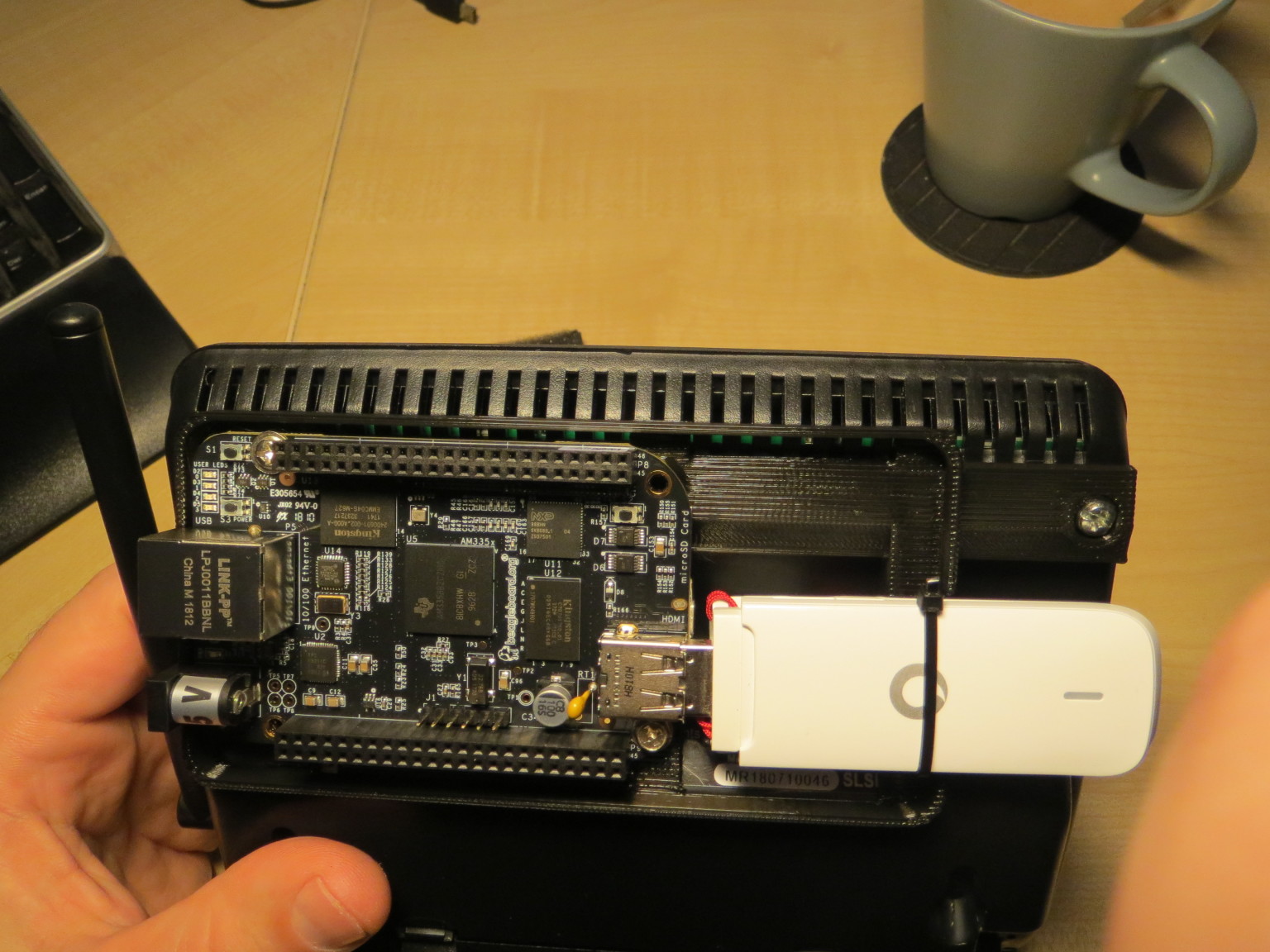


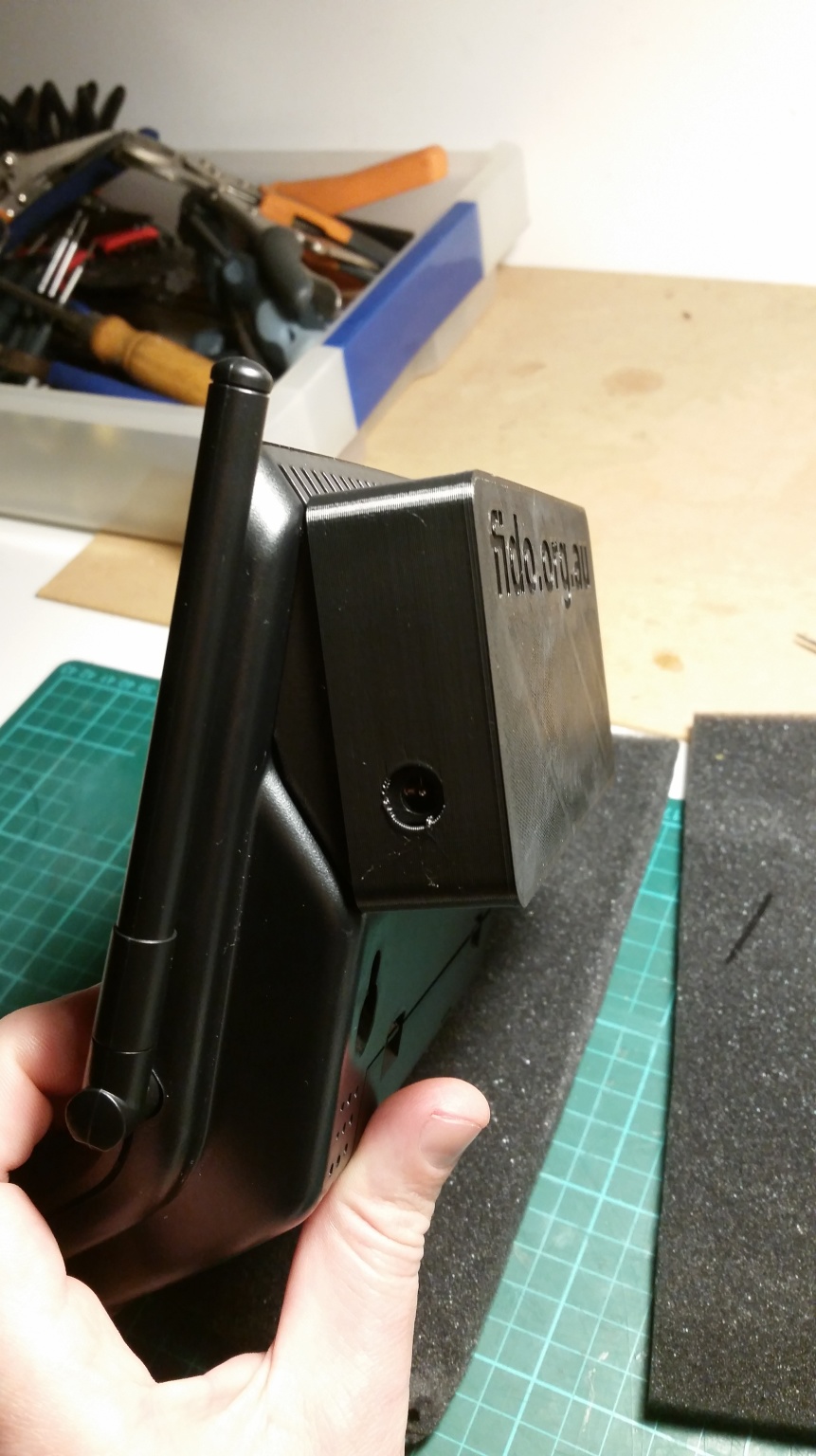
this time i've also decided to 'design for manufacturability' (bwuahaha - translate: i wanted less messy manual soldering and no connector butchery). this meant switching to a different pic microprocessor, an 8-pin PIC16F18313, and making a printed circuit board with keyed connectors to make everything a bit more fool-resistant.
the 16F18313 is a little powerhouse, and i found it amazing how much functionality microchip crammed into this chip (datasheet for the 16F18313: 471 pages. 16F88: 228). at au$1.31 it's also much cheaper than the older PIC16F88 i used for the first two stations, and thanks to freely reassignable pin functions it's much easier to route a single-layer pcb for that processor.
but getting it to actually work was immensely painful: none of my infrastructure would deal with this fairly recent chip. my version of xc8 wouldn't compile for it, pk2cmd would not program it (nor would mplabx talk to my pickit2). lots of swearing and fiddling later i've got a working PK2DeviceFile.dat for that chip, and proceeded with the pcb making.
after a little time with eagle (and a brief detour to build a small drill press for drilling the circuit boards) i made these four boards in the most pedestrian fashion possible (read: using the toner transfer method). soldering on the smt connectors was easy, using solder paste. and everything did work the first time round :-)
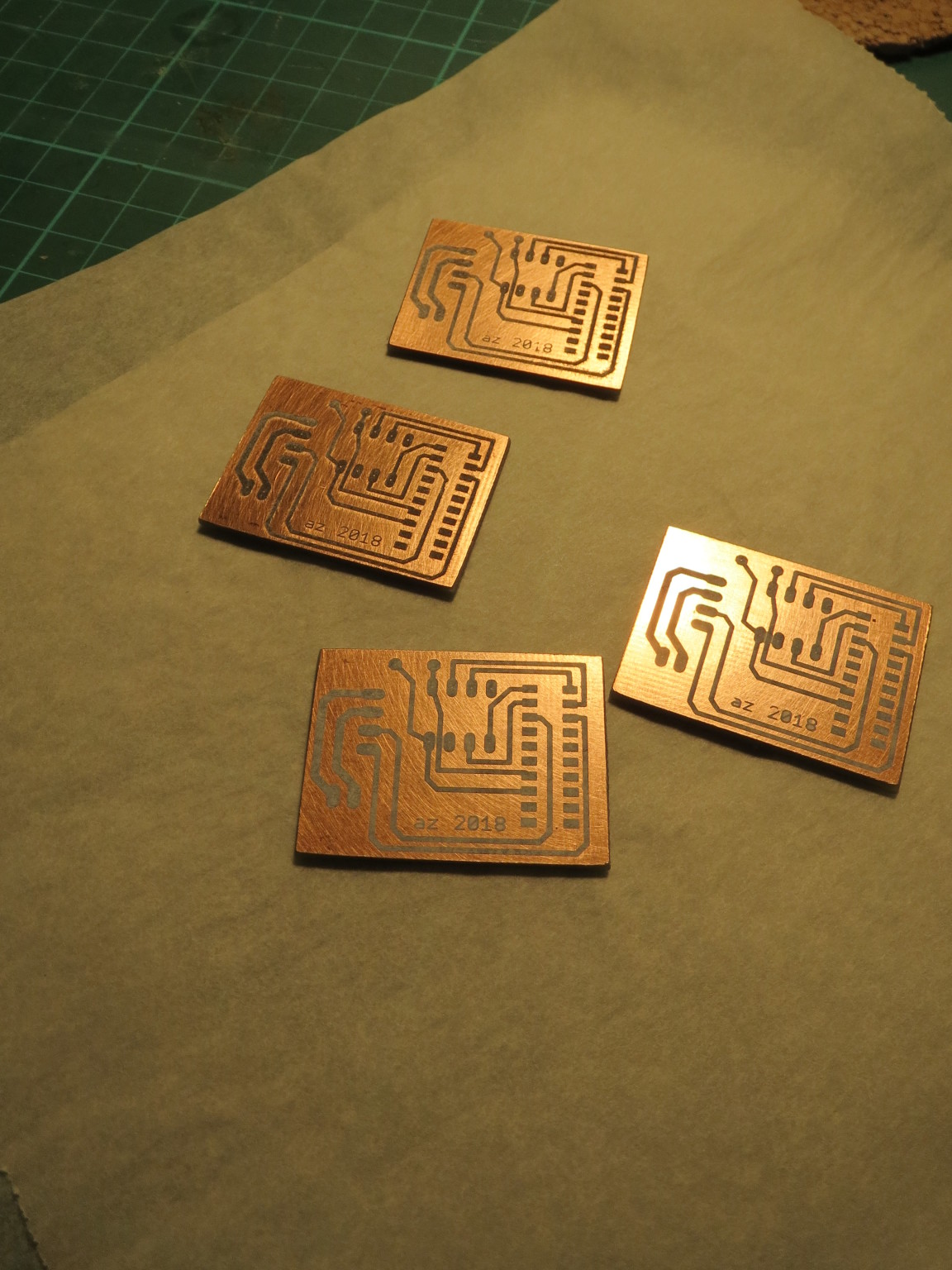
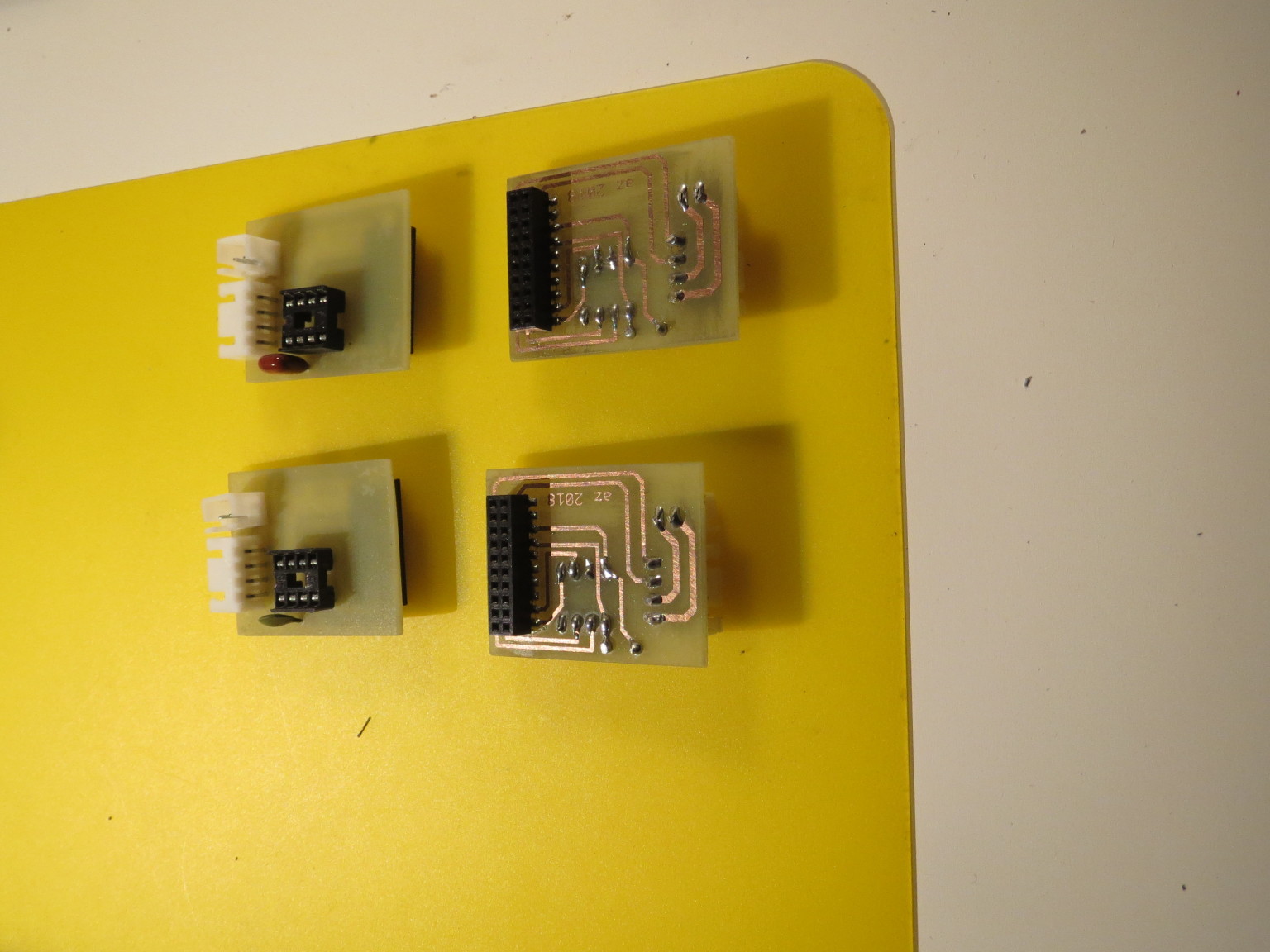

in about a month the four stations will get installed on fraser island and i'll post an update when they're live.
you can find the updated code for the new pic and the board design (in eagle format as well as printable image) at https://github.com/az143/davis_weather.
i've been asked to extend kuvert a little, so that it optionally completely rejects emails unless it can encrypt it for all recipients.
that's done now; version 2.1.0 includes that new option, and a variety of minor fixes and code cleanup.
kuvert's source is downloadable here or on github. the updated manpage is available here.
Update (Mon 02.10.2017 13:09):
...but wait, there's more.
recently i've been getting more feedback/patches via kuvert's github presence and kuvert has gained a few minor features and improvements: optional custom config file, you can configure your gpg path (welcome back, gpg1...) better starttls support (and debugging) if you're using a recentish perl and thus a modern net::smtp, better compat with weird clients if you use kuvert as msp and so on.
we're at version 2.2.1 now and as always kuvert is downloadable here or from github; naturally it's in debian unstable and will hit testing in a few days.
When my boss' father, john sinclair, mentioned that he could use some help with
building and installing a rain gauge with online data collection
on Fraser Island (for fido.org.au) I naturally
said 'sure'; my experiences with designing and building two remote wind stations for the CHGC were good,
and I find things like that interesting projects to tackle. The rest of this
article documents the good, the bad and the ugly sides of the exercise - if
you want just the goodies skip to the page bottom :-)
click here for the rest of the story...
fail2ban is meant as a comprehensive tool for reacting to bad stuff showing up in various logs. things like 'if more than 3 bad passwords in the last 10 minutes, block the user/ip for a while'.
but somehow i don't like it. at all. i think it's an obese beast, with overcomplicated rules and not a lot of flexibility.
but the basic idea is quite sensible. so i wrote a variation of fail2ban for my own purposes: banban. it's tiny, it reacts fast and it does just enough to make it worthwhile.
banban has just hit github, and the single-page documentation is there too.
i find it hilarious that Linus
named git
(version control system) after git (british term of endearment).
being an argumentative bastard myself, i do like git.
being an argumentative bastard who believes in sharing, i've started putting up some of my shareables on github: https://github.com/az143
many ages ago i was using mrtg (more or less happily)
to collect service and performance data for my personal infrastructure,
and created a collector script then called bigstat which worked both
locally on the box with mrtg and remotely on clients. naturally that's all
ancient non-news: mrtg is dead, all hail rrdtool.
click here for the rest of the story...
i've been reminded that my original pam_recent module couldn't support ipv6 because iptables' recent module didn't do so. nowadays that is no longer true, and i've just updated the module to version 1.11 which plays nice with ipv4, ipv6 and dual-stack setups.
here is the original post about pam_recent for context; the newest version (with documentation) is here.
...is really still great; I've been offering a mirror of it for almost 15 years now (but the link has changed a bit); the official version nowadays comes
as html in frames (yuck), with the plain variant
well hidden...
Last time when I was overseas I left a dinky webcam in my living room with a bit of software to take snapshots every now and then. That worked reasonably well but it was a) totally static and boring and b) of limited resolution.
So I thought about acquiring an cheapish ip camera, ideally a motorized one with pan+tilt capabilities - and hey presto I got one for my birthday, a Foscam FI8910W (which was my own, underinformed, choice).
This has proved to be a suboptimal choice, as there are a number of cams in the
same price segment with fewer bugs and better features.
click here for the rest of the story...
If you've got a Growatt or Sungold inverter, then you will likely know that it has an RS232 port (9600 8N1, no flow control, and straight through cable) and that the manufacturer only provides hideously horrible and somewhat broken windows software for reading the inverter status.
However, their support isn't bad and they sent me the protocol specification within one day of me asking. Here is the Growatt Serial Comms Protocol as PDF. The comms protocol is a tad odd, and the spec isn't 100% clear in all situations but with a bit of fiddling I got a perl reader to work. The comms implementation isn't very robust; while experimenting I managed to send it into a catatonic state a few times, and it stuffs up the message checksum that it sends every now and then, too.
Without further ado, here's my perl proggie. It doesn't work with the growatt's super-weird dynamic address mode (shows as "MOVE" on the LCD); knock through the menus and set a fixed address value first. The perl proggie also expects a unixy box with /bin/stty because I couldn't be bothered to do the tedious termios fiddling from within perl.
Update (Tue 06.11.2012 21:45):
Michael Wheeler reminded me that the Growatt firmware isn't exactly a paragon of stability and does occasionally send out garbage data. He added a few robustness features to the code, which I've just merged back into the the newest version of read-growatt. In addition to that I've found out that some multi-string Growatt models (4400MTL for example) use a different packet format; unfortunately that means read-growatt doesn't work for these right now - until somebody supplies me a protocol description for those models.
Ever since I stopped using a Sun SparcStation as desktop (around 94 or so) I wanted a decent Type 4 or 5 on my pc - alas, the Type 4/5 are serial keyboards and hence not directly supported by normal pcs.
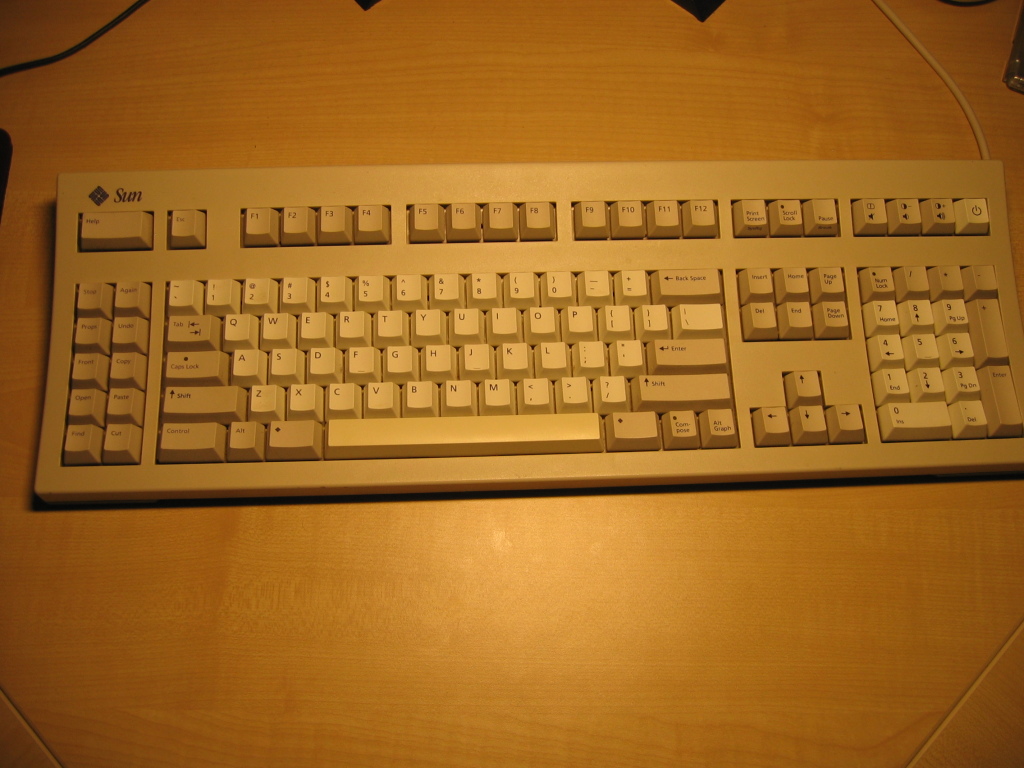
Getting the Type 5 to work under Linux wouldn't have been too hard (it's serial
after all), but that isn't good enough: I wanted a decent solution
that also work for BIOS interaction and in Windows (and even the Linux-only solution
would have required soldering up a TTL inverter).
So why not build a converter?
click here for the rest of the story...
Kuvert was recently featured on the debaday blog, and somebody asked me to put the manual pages on the web.
So here they are, ugly as sin (because I couldn't convince groff or any other converter to render -mdoc manual pages in HTML without breaking them completely):
manpage for kuvert
manpage for kuvert_mta_wrapper
Update (Tue 04.09.2012 21:40):
The manpages have been updated for kuvert version 2.0.7:
Manpage for kuvert
Manpage for kuvert_submit
I've been asked if I could update my growatt inverter status reader to also upload the live data to pvoutput.org for graphing and trend analysis.
This being perl it's a simple modification; here is the new version of read-growatt which does the submission if you hand it your pvoutput site id and api key. It also displays the readings in a slightly more human-friendly format.
once more i got nice feedback from somebody out there who benefits from my tinkering - it's very nice to see that one's efforts aren't totally wasted.
here is the original post about pam_recent for context; the newest version (with documentation) is here.
lorenco catucci suggested that pam_recent works better for rate limiting services that don't terminate the network connection on a failed login if it offered handlers for the other pam phases too, most importantly auth.
that way, one can use pam_recent to record that somebody attempts access in an iptables' recent list, and clear the record if and only if the connection gets to the account or session stage. in this setup pam is providing the control and iptables recent match just enforces the limits.
nice idea, just a few simple changes required and the result is better and more useful than before.
I've just completed testing the next generation of my kuvert tool: Version 2.0.0 is out here and has just been uploaded to debian Sid. It's full of Nice New Things that make kuvert more useful, the most notable ones being:
- inbound SMTP support
You can tell kuvert to listen on localhost on a port of your choice for inbound messages. (This absolutely requires ESMTP authentication as pointed out in the manpage.) Benefit: any garden-variety mail user agent can send via SMTP, which means it can interoperate with kuvert. You don't have to bother with the submission wrapper anymore (but it is still available of course). - outbound SMTP support
Kuvert now can speak SMTP to any server of your choice. No more need for a local MTA installation (unless you prefer one, in which case kuvert will work like before). - support for gpg-agent
There are also quite a few other goodies, but I haven't cooked up a good changes document yet; You'll have to read the manpage.
Update (Fri 17.09.2010 14:31):
Kuvert version 2.0.4 has been released. New feature: kuvert now supports SMTP Authentiction for submitting your outbound emails to an MTA (No TLS/SSL yet). Sources here, binaries at the Debian mirror of your choice.
I've been asked whether my R/C four wheel steering controller can share a channel with some other function; until now it couldn't.
This has changed today: you can now configure it to listen for quick "flip-flops" of your mode switch for cyclic mode (before it only recognized high-to-low transitions). That way you can run something else on the same channel (with a splitter cable) as long as that something else doesn't have a big problem with such "short blips".
Source code and manual have been updated:
The last of my 4WS controllers is on sale, here.
My R/C four wheel steering controller needed some fixes to work on both PIC12F635 and PIC12F683 chips, and there were some other minor stupid mistakes I had to fix.
Here's the latest version: source code and updated manual.
Looks like my pam_recent module is actually used by others out there and liked as well. For a maker/hacker/tinkerer like me that's very satisfying, especially considering the source of the most recent comment/suggestion.
Self-aggrandizement aside, there's a slightly updated version of pam_recent.c (v1.6) available, which uses pam_syslog and thus creates different syslog entries (for those of you using logcheck).
So you have a nice, nifty RC car which is shiny and very fast (and therefore cool) or dirty and really slow (and therefore cool) and yet you are unhappy with its turning radius?
You might consider rigging it for four-wheel steering, which is very nice for tight turns but not so much fun or stable for high-speed runs. Which do you choose, stability and 2WS or tight turns and 4WS? Can't one have both?
Indeed you can. Faced with this very challenge for my Wheely-King-based rock crawler, I've built a four-wheel steering controller (4WSC) which gives you that choice and lots more, provided that you have a radio with one free channel: with that channel you can switch between proportional four-wheel steering, two-wheel steering front or rear and crabbing, on the go and without stopping. Your one steering wheel controls both servos appropriately, based on your chosen mode of operation. The 4WSC also includes a servo reversing cabability for your year servo and is configured/programmed using your rc transmitter.
You might have a look at the manual to see what other goodies I managed to program in.
Here is what the 4WSC looks like: tiny (that's a 1cm grid) but quite capable and cool.

As always with my stuff, it's open source software: the commented source code is available right here for your perusal/modifications/other weird applications. Share and Enjoy. You might almost call the 4WSC an example of "open source hardware": I'm also providing a printable circuit board design, ready for making your own pcb's with the toner transfer method.
The hardware side of the 4WSC is really simple: it is microcontroller-based, uses a PIC12F635 or 12F683 or similar, and because PICs are great devices it does not need any external components (except for plugs/leads and a buzzer). All you need to build your own is such a microcontroller, a PIC programmer interface for programming it, soldering gear and either some protoboard or minimal PCB-making skills.
If that sounds too tedious/complicated, you can simply pay me a little money and get one finished and ready: I made a few of the controllers and am sufficiently happy with the outcome to sell them. Contact me here and we can discuss the details; I might also do custom firmware for your specific requirements (for a fee, mind you).
For the do-it-yourself afficionados (like me) here are the goodies:
- The manual for the 4WSC
- The latest version of the source code and the delay functions code
- The circuit board design (600dpi png)
Enjoy!
Robert Scheck suggested that I get rid of a (justified) compiler warning in pam_recent by logging only sensible things. Here's the updated version.
1.1.13 is available here
(and via apt-get install kuvert in debian
and ubuntu).
Changes: the pgp-signature part is now tagged a bit more extensively with a content-description and the "canonical" filename; while the filename tag was there in an earlier version (and got removed for reasons lost in time), the content description might help the more...suboptimal mail clients out there.
The prod to do this came from Andreas Labres.
Kuvert is a tool that automatically signs and/or encrypts outgoing
email using the PGP/MIME standard
(RFC3156), based on the
availability of the recipient's key in your keyring.
click here for the rest of the story...
Tony Nelson pointed out a bug in glibc's gethostbyname() which causes pam_recent failures in mixed ipv4-v6 situations. The problem is worked around and the docs have been improved.
Version 1.3 can be downloaded here.
At work we've got a slightly stuffed main proxy which occasionally just stops finishing to serve a request halfway. Very annoying, especially as I must use that thing...when FAI-installing 24 Debian boxes unattendedly (via another intermediary proxy under my control).
This has bitten me in the past a few times, because cfengine1 doesn't have any easy means of figuring out that a script hasn't succeeded. With the main proxy wandering off into la-la land, this led to some halfbaked installs.
Not anymore. apt-cacher may be imperfect, but the version in etch/testing finally has a lean set of depencies and together with squid and jesred (or a similar redirector) it's easy to make everything work transparently.
That way the client config does not need to be changed at all: they all have normal source URLs, and they have to go through my proxy for web access anyway. On that fw/proxy box, I added this to jesred.rules:
regex ^http://((.*)/debian/(dists|pool)/.*)$ http://127.0.0.1:3142/\1
which makes everything remotely resembling Debian package info go to the apt-cacher which runs standalone on port 3142. A bit of twiddling with squid's always_direct and never_direct directives later, and heureka! it actually works...
One of our machines at work gets hammered by ssh password guessers, and this
is about a neat and cheap (IMHO) way of dealing with this.
click here for the rest of the story...
My backup tape stacker died recently, so I had to look for alternate cheap backup solutions. Goodbye Amanda! snif Recent tape drives being prohibitively expensive, I went for two more 200gb disks, one for the living-room machine (aka. tosspot) and one for an usb enclosure and transfer via sneaker-net to the office.
So far, so good. The choice of available software, however, and my paranoia re backup storage have an intersection close to \epsilon: backuppc doesn't encrypt. boxbackup does, but is a bit rough and needs loads of certificates to get anything done. On a comparison page about boxbackup I found a link to duplicity which has a very nice feature set which meets my ideas of backup pretty nicely:
- Everything happens on the client, the server only needs to give scp/ftp/rsync/s3 access.
- Symmetric or asymmetric encryption, encrypt-but-not-sign as well.
- a way to do incrementals that shows deleted files, while still not needing anything but gpg and tar to restore (if you've lost the duplicity program).
- Doesn't need to decrypt anything for doing incrementals, if you give it a little space on the local machine.
However, it's got a fair number of minor problems as well. Quite some debugging and head-scratching and four bug reports later (one two three for duplicity, two with patches and one for rsync with a patch as well) I'm now set: a dumb rsync server with some disk behind it, encryption (but no signing) to my gpg key happening on the clients, the result of which ends up on the server. To do incrementals cleanly, a little unencrypted space (--archive-dir) is set aside on the clients, where duplicity can store some hashes and other info of the files it's backing up.
I still don't like python much but I'm at least reaching that debugging-and-mini-maintenance-hacking level. Syntactic whitespace sucks.
-- David Richerby on blacklisting blacklists
I don't like worms and other crap that hammers my ssh servers with nonexistant users and/or lousy passwords. Not that they would get in anyway, but it still pisses me off sufficiently to do something about it. This script blams all such suckers for a while. Share and enjoy.
The script tails a logfile (preferrably something low-volume like your auth.log) and looks for failed ssh entries. If the other side is not whitelisted and tries too often in a time window, an iptables command is issued. After a fair while the block is removed. Obviously all this is adjustable and I'll certainly extend the setup for other annoyances, too.
The idea came from here but that implementation I didn't like very much. The clean tailing of a log (safely across rotations etc.) was snarfed from logtail (part of logcheck) and the parsing of syslog messages came from Parse::Syslog (which doesn't work on your local data, only on full files. Silly thing.)
blosxom is a blogging engine in a single tiny piece of
perl; it's what this site uses. Well, it's small, fairly simple and
not too ugly.
click here for the rest of the story...